Keyboard helper class for wp7 vs tab index

I’ve recently blogged on tumblr about a way to plug the missing tab-to-next-control functionaly in wp7 when using the software keyboard (SIP). I’ve reafactored the code to make it a little easier to use, plus added a little bug fix concerning isEnabled=false controls.

<!--ContentPanel - place additional content here-->

<Grid x:Name="ContentGrid" Grid.Row="1">

  <StackPanel Orientation="Vertical">

    <CheckBox IsTabStop="True" TabIndex="4" Content="Some check"></CheckBox>

    <TextBox TabIndex="1" Text="start here" KeyUp="TextBox_KeyUp"></TextBox>

    <TextBox IsTabStop="True" Text="Won't tab here cause not set tabindex"></TextBox>

    <TextBox IsEnabled="False" TabIndex="2" Text="not here cause disabled" KeyUp="TextBox_KeyUp"></TextBox>

    <TextBox TabIndex="3" Text="next stop here" KeyUp="TextBox_KeyUp"></TextBox>

  </StackPanel>

</Grid>


A little bit of code-behind is needed;

public partial class MainPage : PhoneApplicationPage

{

    private KeyboardHelper keyboardHelper;


    public MainPage()

    {

        InitializeComponent();

        this.Loaded += new RoutedEventHandler(MainPage_Loaded);

        this.IsTabStop = true;

    }


    void MainPage_Loaded(object sender, RoutedEventArgs e)

    {

        this.keyboardHelper = new KeyboardHelper(this, LayoutRoot);

    }


    private void TextBox_KeyUp(object sender, KeyEventArgs e)

    {

        if (e.Key == Key.Enter)

        {

            keyboardHelper.HandleReturnKey(sender);

        }

    }

}

…and the supporting helper class;

// Wp7Keyboard helper by @pauliom

using System;

using System.Linq;

using System.Net;

using System.Windows;

using System.Windows.Controls;

using System.Windows.Media;

using System.Collections.Generic;

using Microsoft.Phone.Controls;


namespace Wp7Keyboard

{

    /// <summary>

    /// Helper to provide missing tab-to-next-control functionality

    /// </summary>

    public class KeyboardHelper

    {

        private List<Control> tabbedControls;

        private Control lastTabbedControl = null;

        private Panel layoutRoot;

        private PhoneApplicationPage page;


        /// <summary>

        /// Constructor to support a phone page

        /// </summary>

        /// <param name="page"></param>

        /// <param name="layoutRoot"></param>

        public KeyboardHelper(PhoneApplicationPage page, Panel layoutRoot)

        {

            this.layoutRoot = layoutRoot;

            this.page = page;

            RefeshTabbedControls(layoutRoot);

        }


        /// <summary>

        /// Refresh the tabbed controls collection, helpful if you dynamically alter the controls

        /// </summary>

        /// <param name="layoutRoot"></param>

        public void RefeshTabbedControls(Panel layoutRoot)

        {

            this.tabbedControls = GetChildsRecursive(layoutRoot).OfType<Control>().Where(c => c.IsTabStop && c.TabIndex != int.MaxValue).OrderBy(c => c.TabIndex).ToList();

            if (this.tabbedControls != null && this.tabbedControls.Count > 0)

            {

                this.lastTabbedControl = this.tabbedControls[this.tabbedControls.Count - 1];

            }

        }


        // code from 'tucod'

        IEnumerable<DependencyObject> GetChildsRecursive(DependencyObject root)

        {

            List<DependencyObject> elts = new List<DependencyObject>();

            elts.Add(root);

            for (int i = 0; i < VisualTreeHelper.GetChildrenCount(root); i++)

                elts.AddRange(GetChildsRecursive(VisualTreeHelper.GetChild(root, i)));


            return elts;

        }


        /// <summary>

        /// Process a return key from the client controls key-up event

        /// </summary>

        /// <param name="sender"></param>

        internal void HandleReturnKey(object sender)

        {

            Control eventSender = sender as Control;

            if (eventSender != null)

            {

                Control thisControlInTabbedList = tabbedControls.FirstOrDefault(c => c == eventSender);

                if (thisControlInTabbedList != null)

                {

                    // what's the next control?                                                                       

                    SetFocusOnNextControl(thisControlInTabbedList);

                }

            }

        }


        private void SetFocusOnNextControl(Control thisControlInTabbedList)

        {

            if (lastTabbedControl == thisControlInTabbedList)

            {

                // we've come the end so remove the keyboard

                this.page.Focus();

            }

            else

            {

                Control nextControl = tabbedControls.FirstOrDefault(c => c.TabIndex > thisControlInTabbedList.TabIndex);

                bool wasFocusSet = false;

                if (nextControl != null)

                {

                    wasFocusSet = nextControl.Focus();

                }


                if (!wasFocusSet)

                {

                    SetFocusOnNextControl(nextControl);

                }


            }

        }

    }

}

Hope you find it useful, again maybe it won’t be needed after RTM, finders crossed.
BTW I’m trying out new blog engines hence the scatter of links.

A couple of issues porting from Monotouch to WP7

One of the major benefits to me of both Windows Phone 7 (WP7) and Monotouch is that I can write in .net. So although the visual-view side of coding for both is very different I should be able to use pretty much the same model & services right? Well sort of. Here are a couple of issues I’ve hit during a recent port;

Database

I was quite surprised by this one. Monotouch, as does .net, has a number of database options but I guess a very common choice is mySQL. As such my persistence layer makes heavy use of SQL. However, currently there isn’t an implementation of mySQL available on WP7. I’m guessing it’s to do with only having the isolation storage stream available. I am aware of a some alternatives, Silverlight Database & Perst to name a couple, and I’ll certainly be taking a look at these in the future. However, for my little project I’m not storing a great amount of data so I’ve stuck with simple serialization techniques and a hefty use of Linq for now. 

Reduced function set

One of the more interesting problems was hitting those functions that are “unavailable” in Silverlight but free to roam in Monotouch. My main example of this is XDocument.Load. My application makes use of a xml based web service to retrieve information for the user and as with most applications I need avoid using the UI thread to run this requests. The pattern I’d used for Monotouch was aimed a KISS since in my experience 2 of every 3 errors you get provide little or no clue as to what is actually causing the problem. So the idea is for the UI to make a single asynchronous call to the service and for that to make sequential calls to the underlying web service. Sure the overall time will be longer but the complexity is low;

image

The code I used to make the synchronous web service call was XDocument.Load.  My original intention was to directly port the service code to WP7, this is where I hit this reduced function set problem in Silverlight. Silverlight does not allow XDocument.Load to go outside of the current XAP. What I’m supposed to do is make async calls to the web service via WebClient, well done Silverlight you’re forcing me to code properly. However, the code complexity has now risen because I now have to handle a number of events to satisfy the requirements;

image

So I now have the added complexity of gathering the async results from both service layers. Ok it’s not a bad thing to do but it does show that, rightly or wrongly, I have more flexibility to design (incorrectly?) a solution in Monotouch than I do in Silverlight. Although it also shows that I’m far more confident in getting sensible errors back in Silverlight, and for people that are only familiar with Silverlight I’ll let you draw your own conclusions about the quality of errors in Monotouch.

Diagnostic Output

One irritating problem was Console.Write et al do not seem to produce any output to Visual Studio for WP7. Hopefully this is either something I’ve missed or a feature that will be there once out of Beta. I switched to System.Diagnostics.Debug instead.

Summary

This wasn’t intended as an in-depth study of porting between the two but simply to show that if you take a moment to spot where the differences are and investigate appropriate abstractions and patterns then you can save yourself a lot of time.

ASP Session Context State missing in WCF call from Silverlight

I added a new Silverlight app and corresponding WCF service to my site yesterday and I couldn’t understand why the WCF service could not see any of the details in the ASP Session Context property bag. After a bit of poking around I realised it was very simple;
The web site was using IIS at localhost/mysite but the add service reference in my Silverlight app had created a ServiceReferences.ClientConfig using an endpoint with my full machine name; machine.domain.com/mysite. The net effect is that these are treated as different web sites and therefore there is no shared cookie and thus session context. Changing the ClientConfig to localhost solved it.

Understanding the various names and user ids used by Steam

Recently I published an iPhone/iTouch/iPad application (sTeam Achievements) for those people who play games via the popular Steam service. The application relies on the user making their achievements public and knowing how to sign-in using either their ‘Custom URL or Steam ID’. However, Steam uses a number of names to represent the user and several of my application’s customers have struggled to properly connect. So I thought I would attempt to explain what these details are.


1. Sign into Steam

Open your favourite browser and go to https://steamcommunity.com/

image

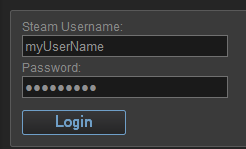
This is your Steam Username, typically no-one else will see this name, it’s private to you. This is NOT required by sTeam Achievements. Login.

2. Edit your profile

image

Locate the Actions section and select ‘Edit my Profile’

image

Now we’ve arrived at the page that best explains the majority of the names available in Steam;

  • Steam ID – one important detail missing from this screen is your Steam ID. It’s a long number that is prone to mis-typing. If you’ve only got a Steam ID then look at the URL showing your profile, if you’ve not entered any other names then you’ll see the long number in the URL. NB sTeam Achievements allows to just use the Steam ID, however in v1.0.0 there is a bug that prevents you getting further than the game list, either wait for v1.0.1 or carry on reading
  • Profile Name – This is the name that will be used when you’re playing games. Other Steam Users will see this name in-game or when searching for you as a friend. Although sTeam Achievements will use this name it is NOT the name you enter on the settings screen
  • Customer URL – this is the name that will be placed into the URL when you next sign-in to the Steam site. It’s a URL friendly alias for you. This IS the name you enter into sTeam Achievements

3. Make your achievements public

The last step for allowing access to your details from sTeam Achievements is to make your achievements publically available.

image 

So hopefully you now have enough details to make use of sTeam Achievements. It’s also worth pointing out that if you want to create a team with your friends then they’ll have to configure their profile using the same steps.

Hope this helps, happy gaming.

Linq gotcha

One of the great checks when using c# is that it knows the difference between assignment and equality. If you write if a=b the compiler says "no". So with a false sense of security I accidentally wrote some linq along the lines of;

var x = from a in somelist where a.IsRead=true select a

yep you guessed it actually executed and carried out the assignment rather than evaluating the WHERE. So keep em peeled

Changing the Accessory icon of a Table View

Whilst designing an iPhone application I wanted to have a very dark background colour for my Table View. I also wanted to use the standard UITableViewCellAccessory.DisclosureIndicator. However the default colour of the indicator is dark and doesn’t show up against a dark background. So I’ll just change the colour? Unfortunatley there is very little exposed to allow you to customise it, so I thought I’d blog a very quick way to make such a change;

In your table view controller override the GetCell function, this is typically a required step if you want to display data. Now you must create your own AccessoryView, this can be a complicated view, but for now let’s start with the most basic form;

RectangleF accessoryRectangle = new RectangleF(1f,1f,40f,25f);
UIView cellView = new UIView(accessoryRectangle);
cellView.BackgroundColor = new UIColor(0f,1f,0f,1f);
cell.AccessoryView = cellView;

so we now have a lovely green square, very professional. To prove you can use other assets, and to do something slighlty more useful, just use a label;

UILabel label = new UILabel(accessoryRectangle);
label.Text = ">";
cell.AccessoryView = label;

there you go, hopefully you can see that you could create as complicated a view as you want.

Getting a Logitech mouse to work with Visual Studio

Recently my trusty Microsoft Explorer mouse broke, so I decided to invest in a Logitech Performance Mouse MX. The idea was that I could use some of the extra button to help me do stuff in Visual Studio. However, once installed it didn’t seem to work with VS. The left/right buttons and the vertical scroll worked but nothing else. The solution is to go to the All Programs->Startup folder and change the Set Point program to run as Administrator. Sure you’ve opened up another security hole but I want a mouse that works.

Beware of SyncToy

I have a very simple backup strategy for my home machine; 1 home machine, 2 external WD hard-disks. I keep 1 disk at home and 1 at work. The theory is that pending global disaster I should have a copy of my files somewhere. To keep my most important files backed up (music & pictures) I use SyncToy. It’s nice because I can configure it to just copy the files over without examining each file, after-all individual music and photo files are not going to change. But today I noticed a rather nasty glitch. When I sync Disk to drive A it works fine. I switch the drives and it only sort of works <gulp>. Some files are sync’d but others are not. I noticed this since none of my 2010 pics were copied over. I would appear that for ever external disk you have you must create a new sync pairing. So be warned, although it says everything in sync’d make sure you have a dedicated pairing per external disk.